
Let’s be honest — passwords are a nightmare. You’re supposed to have a unique, complex password for every single account you use. No reusing. No dictionary words. Mix in uppercase, lowercase, numbers, and symbols. Change them every few months. And whatever you do, don’t write them down.
Nobody actually does all of that. Instead, most of us end up with some variation of the same password across dozens of accounts, maybe with an exclamation point tacked on the end to satisfy a complexity requirement. We’ve all been there. And hackers know it.
That’s why passkeys are such a big deal. They’re not just a small upgrade to how we log in — they’re a complete rethinking of authentication. And the best part? They’re already here. If you’ve used Face ID or a fingerprint to sign into Google, Apple, Amazon, or PayPal recently, you may have already used one without realizing it.
Let’s break down what passkeys are, why they’re better, and why you’re going to be seeing them everywhere.
So What Is a Passkey, Exactly?
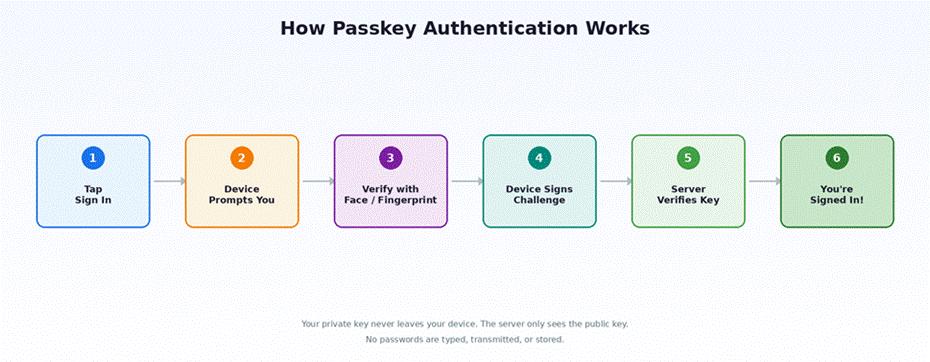
Think of a passkey as a digital key that lives on your phone, tablet, or computer. When you set one up for a website or app, your device creates a pair of keys behind the scenes — one that stays privately locked away on your device and one that gets shared with the website. When you want to sign in, the website asks your device to prove it has the right key. Your device confirms it with your fingerprint, face scan, or screen lock PIN, and you’re in.
You never type anything. You never remember anything. You just confirm it’s really you using the same unlock method you already use every day.
The magic here is that the secret part of the key never leaves your device. It’s never sent to the website, never stored in their database, and never floating around the internet waiting to be stolen. The website only ever sees the public half, which is useless to an attacker on its own.
Why Passkeys Are a Massive Upgrade
Phishing Basically Stops Working
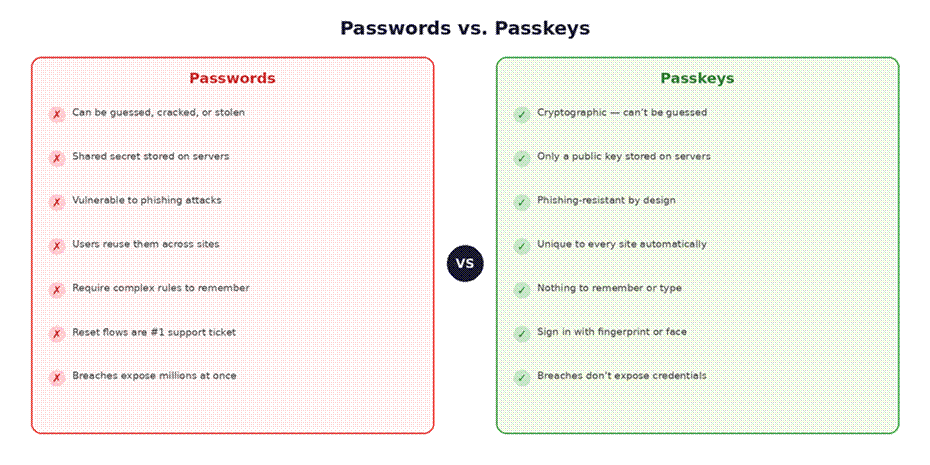
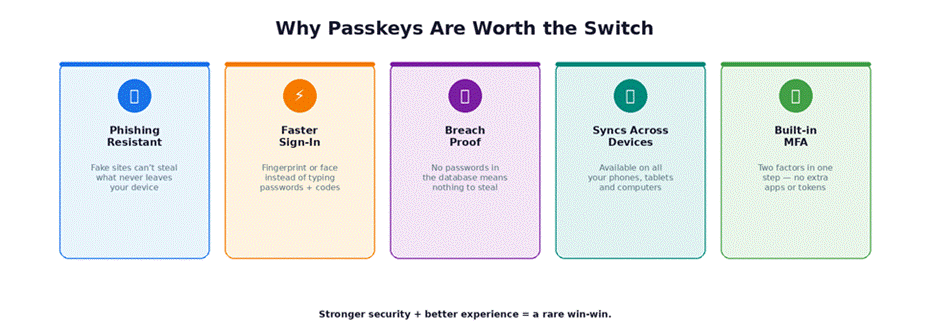
You know those fake emails that try to trick you into clicking a link and entering your password on a site that looks real but isn’t? That entire category of attack falls apart with passkeys. Your device knows which website the passkey belongs to. If a scammer sends you to a lookalike site, your device simply won’t respond — it recognizes that the fake site isn’t the real one. There’s no password to hand over, no code to intercept, no way to trick you into giving up something that never leaves your device in the first place.
This is huge. Phishing is the number one way accounts get compromised today, from everyday Gmail accounts to major corporate breaches. Passkeys don’t just make phishing harder — they make the traditional phishing playbook obsolete.
Data Breaches Become Way Less Scary
Every few months, another company announces that millions of user credentials were exposed in a hack. When a company stores passwords — even encrypted ones — a sufficiently motivated attacker can often crack them given enough time and computing power. And once they do, they try those same email and password combos on every other popular service, because they know people reuse passwords.
With passkeys, there are no passwords in the database to steal. The website only stores the public half of your key, and that’s essentially worthless without the private half sitting securely on your device. A database breach is still bad news for a company, but it no longer hands attackers the keys to your digital life.
It’s Actually Easier Than Passwords
Here’s what makes passkeys genuinely exciting and not just a security improvement that makes your life harder. Logging in with a passkey is faster and simpler than typing a password. There are no characters to remember, no password managers to fiddle with, and no two-factor codes to copy from a separate app. You tap “sign in,” your phone or laptop asks for your fingerprint or face, and you’re done in about two seconds.
Setting up a passkey is just as painless. A site asks if you’d like to create one, you confirm with your biometric, and it’s saved automatically. No thinking up a password, no meeting complexity requirements, and no email verification loops.
For anyone who has ever rage-quit a sign-up form because the password wasn’t “strong enough,” this is a welcome change.
They Work Across Your Devices
One early concern about passkeys was the question of what happens if you lose your phone. Thankfully, the major platforms thought about this from the start. If you’re in the Apple ecosystem, your passkeys sync across your iPhone, iPad, and Mac through iCloud Keychain. Google does the same across Android devices and Chrome. Third-party password managers like 1Password and Dashlane also support passkey storage and syncing.
Need to sign in on a device that doesn’t have your passkey? You can usually scan a QR code with your phone to authenticate on a nearby computer. It’s quick, and it keeps the security model intact.
They Check the Box for Security Requirements
For businesses, passkeys naturally satisfy multi-factor authentication requirements that regulations and compliance standards demand. The sign-in process combines something you have (your device) with something you are (your fingerprint or face) or something you know (your PIN). That’s two factors built into a single, seamless step — no extra tokens, dongles, or authenticator apps needed.
The Big Players Are Already On Board
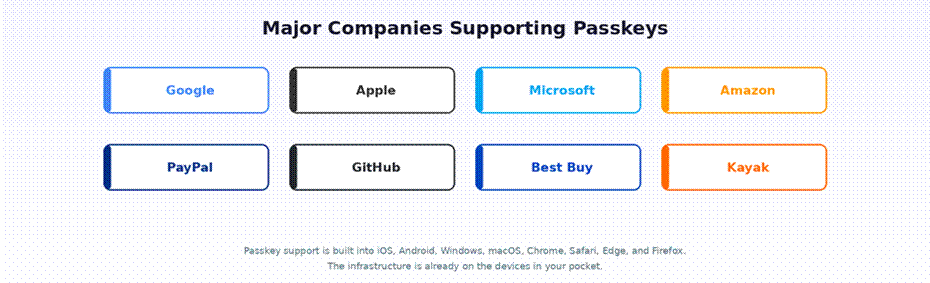
This isn’t some experimental technology waiting for adoption. The biggest names in tech are already supporting passkeys. Google, Apple, Microsoft, Amazon, PayPal, GitHub, Best Buy, Kayak, and dozens of other major services have rolled out passkey support. The list keeps growing every month.
Apple, Google, and Microsoft have also built passkey support directly into their operating systems and browsers, which means the underlying infrastructure is already on the devices people carry in their pockets. This isn’t a future promise — it’s a current capability.
What About the Bumps in the Road?
Passkeys aren’t perfect yet, and it’s worth being upfront about the growing pains.
The Transition Takes Time
Most services still support passwords alongside passkeys, and they will for a while. Not every user will switch immediately, and not every device supports passkeys yet. That means companies have to maintain both systems during a transition period that could last years. It’s a necessary phase, but it adds complexity for the teams building and maintaining these systems.
Account Recovery Needs Rethinking
The hardest question in a passkey world is this: what happens if you lose all your devices and can’t access your synced credentials? With passwords, you’d just reset through email. But if the goal is to move beyond passwords entirely, that old email reset flow becomes the weakest link.
Services are solving this in different ways — letting you register multiple passkeys on different devices, providing backup recovery codes, or using identity verification through email or phone with extra confirmation steps. It’s a solvable problem, but it requires care to avoid creating a back door that undermines the whole point of going passwordless.
Cross-Platform Sync Is Still Maturing
If you use an iPhone for personal stuff and a Windows laptop for work, your passkey experience is improving but not yet seamless. Syncing works beautifully within an ecosystem — Apple to Apple, Google to Google — but moving between ecosystems still requires workarounds like QR-code-based sign-ins. This is getting better rapidly, and third-party password managers are helping bridge the gap, but it’s an area that will continue to improve over the coming year.
What This Means for You
If you’re an everyday user, the action item is simple: start saying yes. The next time Google, Apple, or any other service offers to set up a passkey, go for it. The setup takes seconds, and you’ll immediately notice how much faster and smoother signing in becomes. You can keep your password as a backup while you get comfortable.
If you run a business or build products, the message is equally clear. Passkeys reduce fraud, cut support costs from password resets, improve the user experience, and strengthen your security posture — all at the same time. That combination almost never happens in the security world, where stronger protection usually means more friction. The standards are mature, the platform support is broad, and early adopters are already seeing real results.
The Bottom Line
Passwords have been the default way to prove who we are online for decades, and they’ve been failing us for almost as long. Passkeys replace them with something that’s harder to steal, easier to use, and designed for the way we actually live — across multiple devices, with biometrics we already rely on every day.
The shift won’t happen overnight, but it’s well underway. The technology is ready, the major platforms are on board, and the user experience is genuinely better. We’ve been waiting a long time for a real replacement for the password. Passkeys are it, and they’re worth getting excited about.